What is Image Vectorization? PNG to SVG & Raster to Vector Conversion Explained
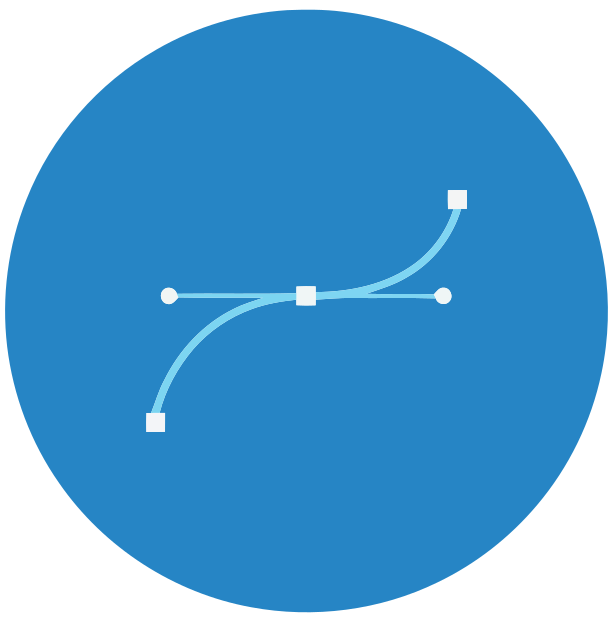
Image vectorization, also known as raster to vector conversion or image tracing, is the process of converting raster images (bitmap graphics) like PNGs, BMPs, and JPEGs into scalable vector graphics (SVG, EPS, DXF formats). VectorAI Convert specializes in converting PNG to SVG and other raster formats to scalable vector graphics. Vectorization of raster images works by converting pixel color information into simple geometric objects. Unlike raster graphics which are rectangular grids of pixels that lose quality when scaled, vector graphics use primitives such as points, lines, and curves represented by mathematical expressions, making them easily scale- and rotateable without quality loss.
Why Use an Image Vectorizer? Convert Raster Images to Vector
Using an image vectorizer to convert raster images to vector format offers numerous advantages for designers, developers, and businesses. Our professional vectorizer tool makes this process simple and efficient. Learn more about how to use our vectorizer or explore our frequently asked questions for detailed information.
- Infinite Scalability: Vector graphics can be scaled to any size without pixelation or quality degradation, perfect for logos and graphics that need to work at various sizes.
- Smaller File Sizes: SVG files are often smaller than high-resolution raster images, improving website load times and storage efficiency.
- Editability: Vector graphics can be easily edited, modified, and customized using design software like Adobe Illustrator or Inkscape.
- Print Quality: Vector graphics ensure crisp, sharp output at any resolution, essential for professional printing and large format displays.
- Web Optimization: SVG format is natively supported by all modern browsers and provides better performance than raster images.
How Does Our Image Vectorizer Work?
VectorAI Convert uses advanced hierarchical clustering algorithms to perform vectorization of raster images. Our vectorizer converts pixel color information into geometric objects and graphic primitives. Here's how our vectorizer works:
- Edge Detection: The algorithm performs edge detection to identify areas of the same or similar brightness or color. This is the most common variant of raster to vector conversion.
- Color Clustering: Similar colored pixels are grouped together using hierarchical clustering, creating distinct color regions from the pixel color information.
- Geometric Object Creation: The detected areas are expressed as graphic primitives like lines, circles, and curves. These geometric objects are represented by mathematical expressions.
- Vector Path Generation: The geometric primitives are converted into vector paths using curve fitting algorithms (pixel, polygon, or spline modes), creating scalable vector graphics.
- Format Export: The vector paths are optimized and exported to formats like SVG, EPS, or DXF, creating files that are easily scale- and rotateable.
Best Practices for Using Our Image Vectorizer
To achieve the best results when using our vectorizer to convert raster images to vector format:
- Use High-Quality Source Images: Start with the highest resolution raster image available for better conversion accuracy.
- Choose the Right Mode: Use Color mode for photographs and complex images, Binary mode for simple line art and logos.
- Adjust Color Precision: Higher precision (6-8 bits) preserves more color detail but may increase file size.
- Filter Small Elements: Use the Filter Speckle setting to remove noise and small unwanted elements from the output.
- Select Appropriate Curve Fitting: Spline mode provides smooth curves for organic shapes, while Polygon mode works well for geometric designs.
Common Use Cases: PNG to SVG & Image Vectorization
Vectorization of raster images is essential for various professional and creative applications. Our professional image vectorizer specializes in PNG to SVG conversion and other raster to vector workflows. This powerful vectorizer is perfect for converting raster images to scalable vector graphics for:
- T-Shirt Design: Convert raster images to vector graphics for t-shirt designs. Create scalable designs that print perfectly on apparel at any size.
- Tattoo Templates: Transform tattoo designs into vector graphics. Create tattoo templates that artists can scale and modify without quality loss.
- Logo Vectorization: Convert scanned or raster logos to vector format (SVG, EPS, DXF) for professional branding materials, business cards, and marketing collateral.
- Billboard Design: Create vector graphics for large format printing. Billboard designs that maintain quality at massive scales using mathematical expressions.
- Clipart & Decals: Convert cliparts, decals, and stickers to vector format. Create designs with geometric primitives that are easily scaleable and editable.
- Print Production: Create vector graphics for brochures, flyers, posters, and high-resolution printing. Export to SVG, EPS, or DXF formats.
- Web Graphics: Convert PNGs, BMPs, and JPEGs to SVG for responsive web design, icons, and graphics that need to scale across devices.
- Illustration: Transform hand-drawn sketches, paintings, or digital art into editable vector illustrations using graphic primitives.
VectorAI Convert Vectorizer vs. Other Solutions
Our image vectorizer stands out from other raster to vector conversion tools with several key advantages:
- O(n) Linear Complexity: Our algorithm processes images in linear time, making it significantly faster than traditional O(n²) solutions like Potrace.
- Full Color Support: Unlike many tools that only handle black and white images, VectorAI Convert excels at converting full-color photographs and complex images.
- Compact Output: Our stacking strategy produces more compact SVG files with fewer shapes compared to competing solutions.
- Privacy-First: All processing happens locally on your device - your images never leave your computer, ensuring complete privacy and security.
- Advanced Controls: Fine-tune every aspect of the conversion with professional-grade settings and presets.
- Free and Open: No subscriptions, no watermarks, no limitations - completely free to use.
VectorAI Convert vs. Vector Magic
When comparing raster to vector conversion tools, Vector Magic is often mentioned as one of the leading solutions in the industry. Vector Magic is known for its fully automatic full-color vectorization, sub-pixel precision, and user-friendly interface. It offers both online and desktop versions, with features like automatic setting detection, result editing capabilities, and support for multiple output formats including SVG, PDF, EPS, AI, and DXF.
VectorAI Convert provides a powerful alternative to Vector Magic with several distinct advantages:
VectorAI Convert
- ✓ Completely free with no usage limits
- ✓ O(n) linear-time algorithm for faster processing
- ✓ Privacy-first: all processing happens locally
- ✓ No account registration required
- ✓ Advanced hierarchical color clustering
- ✓ Multiple curve fitting options (Pixel, Polygon, Spline)
- ✓ Open-source and transparent
Vector Magic
- ✓ Industry-leading automatic vectorization
- ✓ Sub-pixel precision tracing
- ✓ Built-in result editing tools
- ✓ Desktop and online versions available
- ✓ Supports AI and DXF formats
- ✓ Automatic quality detection
- ✓ Professional-grade results
Both tools excel at converting raster images to vector graphics, but VectorAI Convert is ideal for users who prioritize privacy, want a completely free solution without limitations, and prefer local processing. Vector Magic is an excellent choice for users who need premium features like result editing and automatic quality detection, and don't mind subscription-based pricing.
Whether you're converting logos, photographs, or scanned artwork, both VectorAI Convert and Vector Magic can help you achieve professional vector graphics. Choose VectorAI Convert for a free, privacy-focused solution, or explore Vector Magic for their premium features and desktop application.